
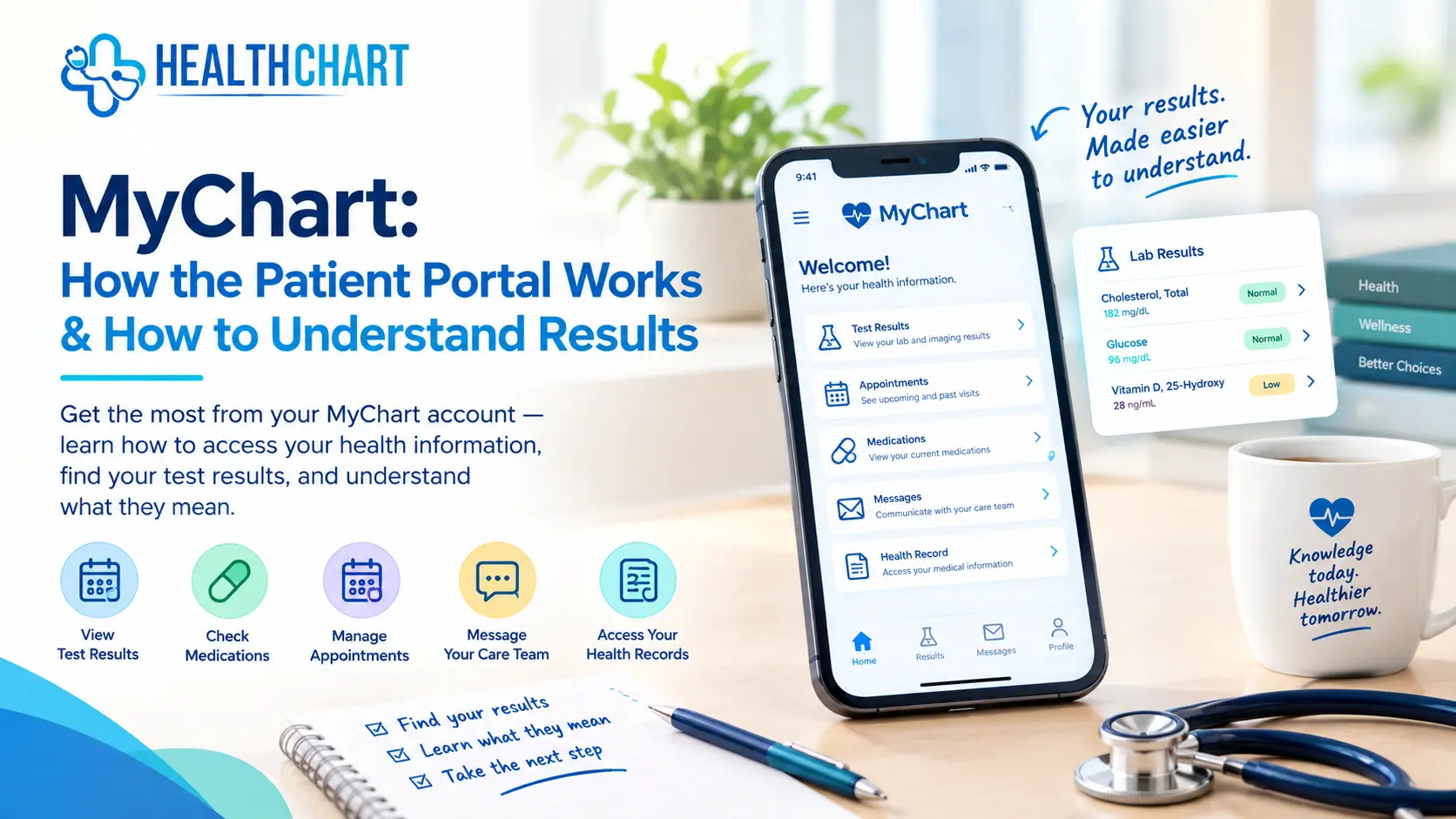
If you have received a message telling you that new MyChart results are available, you may be wondering what the numbers, terms, and result statuses actually mean.
MyChart is Epic’s patient portal, used by participating healthcare organizations to give patients electronic access to health information and communicate with their healthcare teams. Depending on the organization, patients may be able to view test results, medications, appointments, medical records, messages, and other health information through MyChart. Epic
This guide explains how the MyChart patient portal works, where to find test and lab results, and how to understand common information you may see.
Important: MyHealthChart is an independent health information website. It is not affiliated with or endorsed by Epic Systems Corporation or any healthcare organization that uses MyChart. MyHealthChart does not have access to your personal MyChart account or medical records.
What Is MyChart?
MyChart is a patient portal provided through healthcare organizations that use Epic software.
Your healthcare organization may use MyChart to give you online access to parts of your medical record. Available features can vary depending on the organization and the services it provides.
Depending on your healthcare organization, MyChart may allow you to:
- View medical test and lab results
- Review medications
- See upcoming or past appointments
- Communicate with your healthcare team
- View parts of your medical record
- Review visit information
- Manage certain appointments or healthcare services
Epic also offers MyChart Central, which allows participating users to access multiple MyChart accounts through a single Epic ID.
For a basic explanation of the platform, see our MyChart patient portal guide.
How Does the MyChart Patient Portal Work?
Your healthcare organization creates and manages your MyChart access.
After you sign in, the exact layout may vary. You may see sections for appointments, test results, medications, messages, billing, medical records, or other services.
If you receive care from more than one organization that uses Epic, your experience may also include features that help connect information from different participating organizations.
If you are trying to locate your healthcare organization’s portal, you can use our Find MyChart guide.
MyHealthChart cannot log into your MyChart account, retrieve your personal records, or contact your healthcare team on your behalf.
How to Find Your MyChart Test Results
One of the most common reasons people use MyChart is to check test results.
Depending on your healthcare organization’s setup, test results may appear under sections such as Test Results, Results, Medical Record, or a similar menu.
A result may include:
- The name of the test
- Your result
- A reference range
- Units of measurement
- A status such as preliminary or final
- Notes or comments from the healthcare organization
If you do not immediately see a result, that does not necessarily mean something is wrong. Some tests take longer to process, and healthcare organizations may release different types of results at different times.
Read our guide to MyChart test results for more information.
How to Understand MyChart Lab Results
MyChart lab results can sometimes look confusing because they contain medical terminology, abbreviations, numbers, units, and reference ranges.
For example, a blood test may show your result alongside a reference range. A result outside that range may be flagged as high or low.
However, a flagged result does not automatically mean that you have a disease or that something is seriously wrong.
Reference ranges are only one part of interpreting a medical result. Healthcare professionals may also consider your age, medical history, symptoms, medications, other test results, and the reason the test was ordered.
You can learn more in our MyChart lab results guide.
What Does “Abnormal” Mean on MyChart?
If MyChart labels a result as abnormal, it generally means the reported value falls outside the reference range provided for that test.
It does not, by itself, provide a diagnosis.
Some healthy people can have results outside a reference range, while a result within the reference range does not always rule out a health problem. The meaning depends on the individual test and the person’s circumstances.
For that reason, avoid interpreting one number in isolation.
What Do “Pending” and “Final” Mean?
You may see different statuses while checking MyChart results.
Pending generally means the result has not been finalized or is still being processed.
Final generally indicates that the laboratory or healthcare organization has completed the result.
The exact wording and timing can vary between healthcare organizations and types of tests.
If a result remains pending longer than expected, contact the healthcare organization that ordered the test.
Does MyChart Explain What Your Results Mean?
MyChart provides access to health information, but the amount of explanation available can vary.
Some healthcare organizations may provide additional explanations, notes, educational information, or newer tools designed to help patients understand health information. Epic, for example, has introduced features that can provide patient-facing explanations of certain clinical information, but availability depends on the healthcare organization and specific implementation.
MyHealthChart is different: we provide independent educational guides that explain common medical terms, tests, lab results, and health information in plain language.
We do not diagnose conditions or provide personalized medical advice based on your MyChart account.
When Should You Talk With a Healthcare Professional?
If you are concerned about a MyChart result, discuss it with the healthcare professional or organization that ordered the test.
Consider asking:
- What does this result mean for me?
- Was this result expected?
- Does it need to be repeated?
- Does it need to be interpreted alongside another test?
- Do I need any follow-up?
- Could my medications or other health conditions affect the result?
If you have severe, sudden, or emergency symptoms, do not wait for a MyChart message or test result. Seek appropriate urgent or emergency medical care.
MyChart vs. MyHealthChart
Although the names are similar, MyChart and MyHealthChart are different.
MyChart is Epic’s patient portal used by participating healthcare organizations to provide access to health information and healthcare-related services.
MyHealthChart is an independent health information website that publishes educational guides about MyChart, medical tests, lab results, health conditions, wellness, and related topics.
You use your healthcare organization’s MyChart account to access your personal health information.
You can use MyHealthChart to learn more about common healthcare terms and understand general health information.
Final Takeaway
MyChart can make it easier to access your health information online, including test results, lab results, appointments, medications, and other medical information. The exact features available depend on your healthcare organization.
When reviewing a MyChart result, look at the test name, result, units, reference range, and status, but remember that a single number does not provide the complete picture of your health.
For more information, explore our MyChart guides and MyChart lab-result resources.
Medical disclaimer: The information on MyHealthChart is provided for general educational and informational purposes only. It is not a substitute for professional medical advice, diagnosis, or treatment. Always speak with a qualified healthcare professional about your personal health concerns, symptoms, medications, or test results.

BRASHnutrition is a nutrition and health education platform led by a Registered Dietitian with an interdisciplinary academic background in dietetics, psychology, and clinical research. The creator holds a BSc in Dietetics, an MA in Psychology, and an MRes in Clinical Research.