
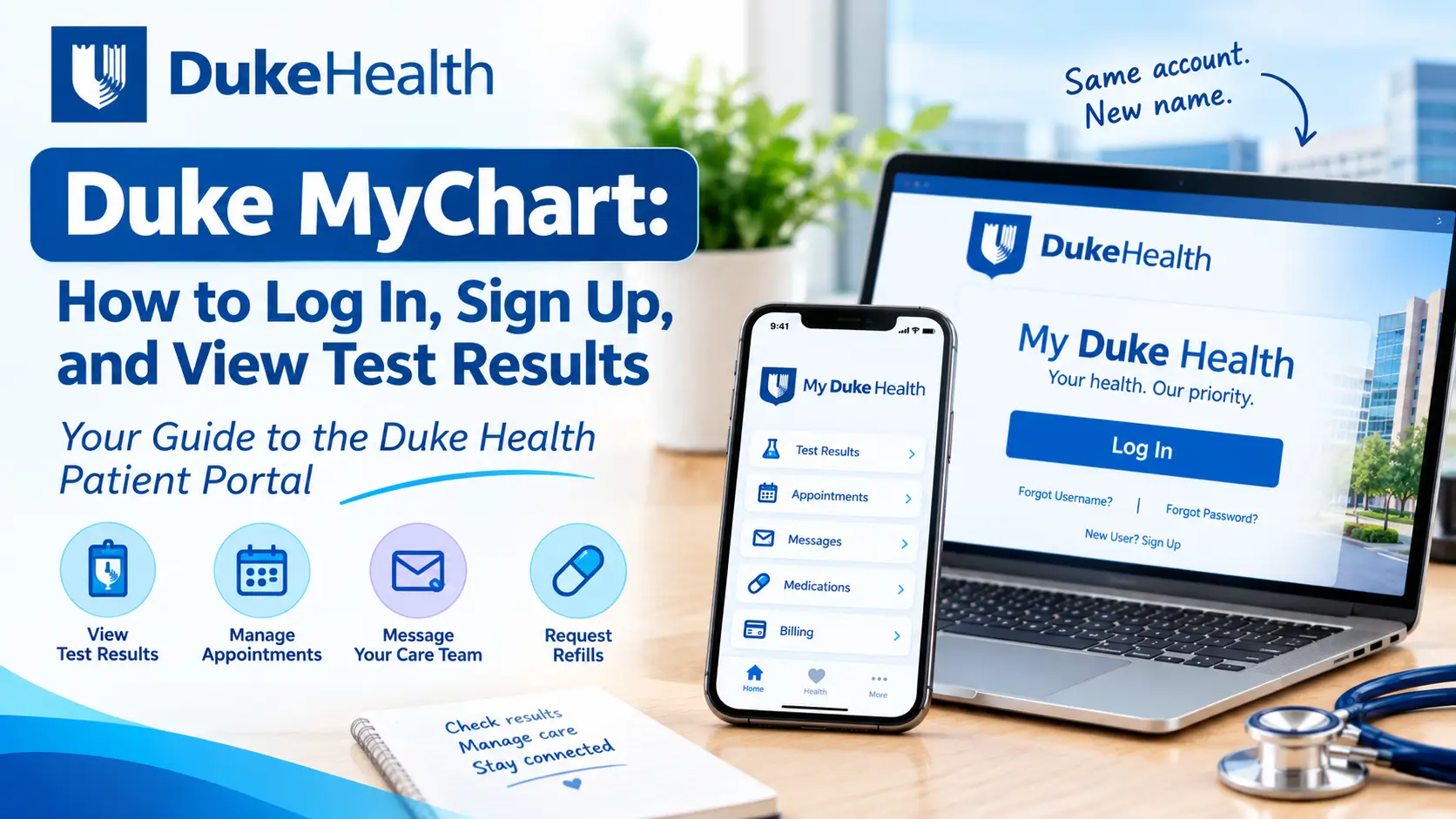
If you receive care through Duke Health, you may have heard of Duke MyChart. It is the online patient portal that helps patients access parts of their health information, communicate with their care team, manage appointments, and review test results.
There is one important update to know: Duke MyChart is now called My Duke Health. The portal has a new name and updated online experience, but Duke Health says existing patients can continue using their current MyChart username and password.
This guide explains how to access Duke MyChart, now My Duke Health, how to create an account, where to find test results, how to use the mobile app, and where to get help if you have trouble signing in.
If you are looking for the official portal, visit My Duke Health.
What Is Duke MyChart?
Duke MyChart is the patient portal associated with Duke Health. It provides eligible patients with secure online access to certain parts of their health information and healthcare services.
Duke Health has renamed the portal My Duke Health. It continues to use MyChart technology, and patients can access familiar features through the updated portal.
Depending on your account and the services available to you, you may be able to use the portal to:
- View available laboratory and diagnostic test results
- Review parts of your medical history and health summary
- Read notes from healthcare visits
- Send secure messages to your care team
- Schedule or manage certain appointments
- Review medications and prescription information
- Request prescription renewals
- View immunization information
- Pay eligible medical bills
- Access information about previous visits
Not every feature or record will necessarily be available to every patient. The information displayed depends on your care, the services you receive, and what Duke Health makes available through the portal.
For a general explanation of how patient portals work, read our guide to the MyChart patient portal.
Duke MyChart Login: How to Sign In
If you already have a Duke MyChart account, you generally do not need to create a new one because of the name change.
Duke Health states that existing MyChart usernames and passwords remain the same when accessing My Duke Health.
Steps to log in
- Open the official My Duke Health login page.
- Find the sign-in area.
- Enter your existing MyChart username or Epic ID, if requested.
- Enter your password.
- Complete any additional identity-verification step displayed.
- Select the sign-in option to access your account.
If you have trouble signing in, check that you are using the correct username and password. Also make sure you are visiting the official Duke Health portal rather than an unrelated website.
Important: MyHealthChart is not the Duke Health patient portal. We cannot sign in to your account, retrieve your password, or access your personal medical records. Learn more about MyHealthChart and its independent health education purpose.
How to Sign Up for Duke MyChart
Patients who are eligible to use Duke Health’s portal can register online. You may be able to create an account with an activation code or complete the online registration process without one.
Option 1: Sign up with an activation code
You may receive an activation code after a Duke Health appointment, through an approved communication, or on an after-visit summary.
To register with a code:
- Visit the official My Duke Health portal.
- Select the sign-up option.
- Enter your activation code and the requested personal information.
- Follow the identity and account-verification instructions.
- Choose a username and password.
- Add or confirm your contact information and notification preferences.
- Review and accept the portal’s terms and conditions.
Keep your login details private. Do not share your password or activation code with someone you do not trust.
Option 2: Sign up without an activation code
Duke Health also provides an online registration process for eligible established patients who do not have an activation code.
The process may ask you to:
- Visit the official My Duke Health website.
- Select the online sign-up option.
- Enter the personal information requested.
- Complete the identity-verification questions.
- Create a username and password.
- Confirm your contact details and notification preferences.
- Accept the applicable terms and conditions.
If the online identity check cannot verify you, you may need to contact Duke Customer Service or request help during a future visit.
For step-by-step instructions, see Duke Health’s official guides for creating an account with an activation code and creating an account without an activation code.
How to View Test Results in Duke MyChart
One of the most useful features of a patient portal is the ability to review test results online.
Through My Duke Health, patients can view test results that have been added to their accounts. These may include laboratory results and other reports associated with their care.
Steps to find your test results
- Sign in to My Duke Health.
- Open the menu or health-record section.
- Look for an option labeled Test Results or a similar results section.
- Select the test you want to review.
- Check the result, units, reference range, date, and any available comments.
- Contact your healthcare professional if you need help understanding what the result means.
The exact menu layout may change as Duke updates its portal.
Duke also provides an instructional resource showing how to find and sort test results in My Duke Health: View Test Results in My Duke Health.
What information might appear in a test result?
Depending on the type of test and the report, you may see:
- The name of the test
- Your result or measured value
- The unit of measurement
- A reference range, when applicable
- The date the test was performed or reported
- A high, low, or abnormal indicator
- Comments or notes from your healthcare team, when available
Not every report contains all of these details.
What does a high or low result mean?
A high or low flag generally indicates that a result falls outside the reference range used by the laboratory. It does not automatically mean that you have a disease or a serious health problem.
A result must be considered in context. Your age, medical history, medications, symptoms, the reason the test was ordered, and other findings can all affect its meaning.
Likewise, a result within the reference range does not always rule out a health condition.
If you see an unexpected result, ask your healthcare professional whether it requires follow-up.
For more guidance, explore our articles about understanding MyChart test results, MyChart lab results, and our lab result interpreter.
These resources provide general educational information. They do not replace advice from the clinician who knows your health history.
Why Are My Duke MyChart Test Results Not Showing?
There are several possible reasons a test result may not appear in your portal immediately.
1. The result has not been released
A test may still be processing, or the result may not yet have been added to your online record.
2. The test was performed outside Duke Health
Results from another hospital, laboratory, or healthcare organization may not automatically appear in your Duke account.
3. You are viewing the wrong section
Some information may appear under a specific test, visit, or health-record section rather than on the main portal screen.
4. There is an account or technical issue
A temporary connection problem, outdated app, or sign-in issue may prevent information from displaying correctly.
What should you do?
Try signing out and signing in again, check the portal’s available sections, and make sure your app or browser is up to date.
If the result is still missing, contact the Duke Health office or care team that ordered the test. You can also contact Duke Customer Service for portal assistance.
Do not assume that a missing result means the test was normal or that no follow-up is needed.
How to Reset Your Duke MyChart Password or Recover Your Username
If you cannot remember your login details, use the account-recovery options on the official portal.
Forgot your password?
- Open the My Duke Health login page.
- Select the Forgot Password option.
- Follow the instructions displayed.
- Provide the information requested to verify your identity.
- Complete the password-reset process.
Forgot your username?
- Visit the official portal.
- Select the Forgot Username or account-recovery option.
- Enter the requested identifying information.
- Follow the instructions to retrieve your username.
The information required may include details such as your name, date of birth, or other verification information.
If the automated recovery process does not work, contact Duke Customer Service using the official contact details below.
For your security, do not send your password or other sensitive account information to an unofficial website or person offering to recover your account.
My Duke Health App: Access Your Portal on a Phone
Duke Health offers the My Duke Health app, which provides access to Duke Health resources and the MyChart patient portal through a mobile device.
The app includes information and services that may be useful before and after signing in. Once logged in, eligible patients can use their Duke MyChart account to access portal features.
Depending on availability and your account, features may include:
- Reviewing test results
- Checking medications and prescription orders
- Managing appointments
- Accessing health information
- Communicating with your care team
- Viewing other available patient information
How to get the My Duke Health app
- Visit Duke Health’s official My Duke Health app page.
- Follow the link for your device’s app store.
- Download the official application.
- Open the app and choose the option to log in to Duke MyChart.
- Enter your existing account credentials and complete any required verification.
Make sure the app is published by the appropriate official provider before entering your login details.
Duke’s guidance recommends using the My Duke Health app for access to its updated patient-portal experience. If you have an older MyChart app installed, check Duke’s current instructions before relying on it.
Is Duke MyChart the Same as My Duke Health?
Yes. My Duke Health is the updated name and online experience for Duke MyChart.
Duke Health explains that the portal continues to use MyChart and that existing users can keep their usernames and passwords.
The updated My Duke Health experience also provides additional Duke Health information and resources.
| Name | What it means |
|---|---|
| Duke MyChart | The previous name commonly used for Duke Health’s patient portal |
| My Duke Health | The updated name and portal experience |
| My Duke Health app | Duke Health’s mobile app, which provides access to MyChart features and other resources |
| MyHealthChart | An independent health information website, not the Duke Health patient portal |
If you are trying to access your Duke medical information, use the official My Duke Health portal.
How to Contact Duke MyChart Customer Support
If you need help with your account, password, sign-in process, or portal features, contact Duke Health directly.
Duke Health lists the following customer-service numbers for My Duke Health (MyChart):
Published support hours:
- Monday, Tuesday, Wednesday, and Friday: 8:00 a.m. to 5:00 p.m. Eastern Time
- Thursday: 8:00 a.m. to 4:00 p.m. Eastern Time
Hours and contact details can change, so check Duke Health’s official MyChart questions and support page before calling.
For a problem with a medical result, medication, or treatment plan, contact your healthcare professional rather than relying only on technical support.
Is Duke MyChart Free?
Duke Health’s MyChart FAQ describes the patient portal as a free service for its patients.
However, using the portal does not mean that healthcare services are free. Office visits, tests, procedures, prescriptions, and other services may have separate charges depending on your insurance and care arrangements.
For billing questions, use the billing information provided by Duke Health or contact the appropriate billing department.
Is Duke MyChart Secure?
Duke Health describes its portal as a secure way for patients to access available health information and communicate with their care teams.
The portal uses account credentials and security measures to help protect access to personal information. Duke also provides information about two-step verification.
You can help protect your account by following basic security practices:
- Use a strong, unique password.
- Do not share your login details.
- Enable two-step verification if available.
- Avoid signing in on public or shared devices when possible.
- Sign out after using a shared device.
- Do not follow suspicious links claiming to be Duke Health login pages.
- Keep your phone, browser, and app updated.
For questions about how Duke handles health information, consult its official privacy information and portal terms.
Duke MyChart vs. MyHealthChart: What Is the Difference?
The names are similar, but the services are different.
Duke MyChart, now My Duke Health, is the patient portal operated by Duke Health. It provides eligible patients with access to their available health records and online healthcare services.
MyHealthChart is an independent health information website. It publishes educational guides about patient portals, medical tests, laboratory results, health topics, and common healthcare terminology. You can learn more about our purpose and approach on the About MyHealthChart page.
MyHealthChart does not operate Duke’s patient portal. It cannot access Duke patient accounts, reset passwords, schedule appointments through Duke, or retrieve private medical records.
If you need to log in to your Duke account, use the official My Duke Health website.
If you want to learn more about patient portals or understand common medical-result terms, explore our MyChart guide.
Frequently Asked Questions About Duke MyChart
1. What is the official Duke MyChart website?
Duke Health’s patient portal is available through dukemychart. The portal is now called My Duke Health.
2. Did Duke MyChart change its name?
Yes. Duke MyChart is now called My Duke Health. Duke Health says existing users can continue using their previous MyChart username and password.
3. Can I sign up for Duke MyChart without an activation code?
Duke Health provides an online signup process for eligible established patients without an activation code. You may need to complete identity verification.
4. How do I view lab results in Duke MyChart?
Sign in to My Duke Health and open the test-results or health-record section. Select the result you want to review. The exact layout may vary.
5. Why are my Duke MyChart results not showing?
A result may still be processing, may not have been released, or may not be available through the portal. Contact the office that ordered the test if you need an update.
6. Can I use my old Duke MyChart username and password?
Yes. Duke Health says the existing MyChart username and password remain the same after the transition to My Duke Health.
7. Does Duke have a MyChart mobile app?
Duke Health offers the My Duke Health app. It provides access to Duke Health resources and the MyChart portal. Visit Duke’s official app page for current download instructions.
8. How do I contact Duke MyChart support?
Duke Health lists 919-620-4555 and 800-782-6945 for My Duke Health customer support. Check its official support page for current hours.
9. Can I access a family member’s Duke MyChart account?
Duke’s portal information describes proxy access for family members. Access depends on the applicable permissions and arrangements established with Duke Health.
10. Is MyHealthChart connected to Duke MyChart?
No. MyHealthChart is an independent health information website. It is not affiliated with or endorsed by Duke Health and cannot access your Duke patient account.
Final Thoughts
Duke MyChart, now known as My Duke Health, gives eligible Duke Health patients an online way to access available health information, review test results, manage certain appointments, and communicate with their care team.
If you already have an account, you can continue using your existing login details through the updated portal. If you are a new user, Duke Health provides online registration options with or without an activation code.
For login problems, account recovery, or questions about portal access, use Duke Health’s official support resources. For questions about your medical results or care, speak directly with your healthcare professional.
MyHealthChart provides independent educational information to help readers understand patient portals and common health topics. For more information about our editorial standards and sources, see our Editorial Policy and Resources We Rely On.
Medical Disclaimer
This article is for general educational and informational purposes only. It does not provide medical advice, diagnosis, or treatment. MyHealthChart is an independent health information website and is not affiliated with, endorsed by, or operated by Duke Health, Duke University Health System, or Epic Systems Corporation.
MyHealthChart cannot access your Duke MyChart or My Duke Health account, retrieve medical records, reset account credentials, or provide technical support for Duke’s portal. For account assistance, contact Duke Health directly. For personal medical questions, consult a qualified healthcare professional.
Read our full Medical Disclaimer for more information.
Official Sources and Further Reading
- Duke Health – My Duke Health (MyChart)
- Duke Health – My Duke Health Questions and Support
- Duke Health – My Duke Health FAQs
- Duke Health – Create an Account with an Activation Code
- Duke Health – Create an Account without an Activation Code
- Duke Health – My Duke Health App
- Duke Health – How to View Test Results
- Official My Duke Health Portal

Dr. Emily Forward, MD, FACD is a board-certified dermatologist based in Sydney, Australia, with expertise in evidence-based dermatology and patient-focused skin health. As a Fellow of the Australasian College of Dermatologists (FACD), she brings clinical knowledge and practical insight to dermatology education, helping readers understand skin conditions, treatments, and skincare through clear, evidence-based information.